I'm in crisis
Your step-by-step plan, your pain logged, your rescue painkiller, your relatives alerted, the call to 144.
 Coach Drépano
Your essentials within reach, even without network, with widgets on your home screen.
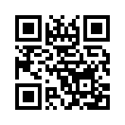
Android 9 ou plus récent. Version 0.16.5. Scan the QR code to open this page on your phone. On iPhone, Trévor opens in Telegram.
Tap Download the app, open the file, then allow installation from your browser (or Files) when Android asks. Tap Install, then Open.
The app is not distributed through the Play Store, so Android shows one or two cautionary messages. That is normal. It is developed by Coach Drépano (HES-SO Geneva, with HUG), shows no advertising and sends your measurements to your own Trévor server, in Switzerland.
If Android asks Keep anyway?, confirm. If Play Protect offers to scan the app, let it, then tap Install anyway.
On first opening, the app shows Before you start: read this short text, then accept to continue. You can read it again at any time on the page Your protection.
In Trévor, open My health, then My watch / my ring: your personal address is there. In the app, tap Link to Trévor, paste the address, then allow Health Connect by ticking every option offered.
On the My watchpage, tap Open the app and link to Trévor: the app opens with your address already filled in, nothing to copy.
Health Connect is the Android health vault where your watch keeps its measurements. It is already there on Android 14 or newer; otherwise, install it once from the Play Store.
If the app says Trévor refused the upload, type /adresse in Trévor: you get a fresh address to paste in place of the old one.
Tap 🔋 Allow background upload and answer Authorise: without this setting, essential on Samsung, uploads can stop for hours. Then long-press your home screen, choose Widgets and add Coach Drépano: emergency or Coach Drépano: today.
Your measurements still go out each time you open the app (“Send now” button). You can allow it later with the button, or in Settings, Apps, Coach Drépano, Battery, Unrestricted.
The “emergency” widget gives the crisis screen, the emergency call and the card in one tap. The “today” widget shows the day's risk (experimental estimate), treatments and water with “+1 glass”.
Your step-by-step plan, your pain logged, your rescue painkiller, your relatives alerted, the call to 144.
Full screen, to show the emergency services, readable without network.
Each appointment carries its address, with directions in Google Maps or Plans.
Follow-up centre, hospitals and pharmacies near you, with directions.
Sheets on crisis, fever, drinking enough, warning signs and travel, readable without network.
Your notes are kept then sent when the network returns, and a crisis can go out by SMS.
The next permitted dose, estimated on the phone, even without network.
Your crisis plan, card, today's risk, treatments, appointments and a glass-of-water counter on the home screen.
A standalone app for your Wear OS watch (Samsung Galaxy Watch, Pixel Watch…), with the I am in crisisbutton, your treatments, water, mood, pain and circle. Two tiles can be added to the carousel: Today (crisis risk, today's form, treatments, next appointment) and My card (your emergency card, readable without network).
Your crisis risk, calculated on your phone. The app calculates it itself, even without network. With the Keep my measurements on this phoneoption, your measurements never leave it: only the model is downloaded. It is an experimental estimate: a low score never rules out a crisis.
The app reads only the measurements you allow in Health Connect and sends them to your Trévor server, in Switzerland, except in local mode. To answer your questions, Trévor may pass a summary of them, without your first name, to Claude (Anthropic, United States). Nothing is sold, no advertising. You can withdraw access whenever you like, or erase everything with /supprimer in Trévor.